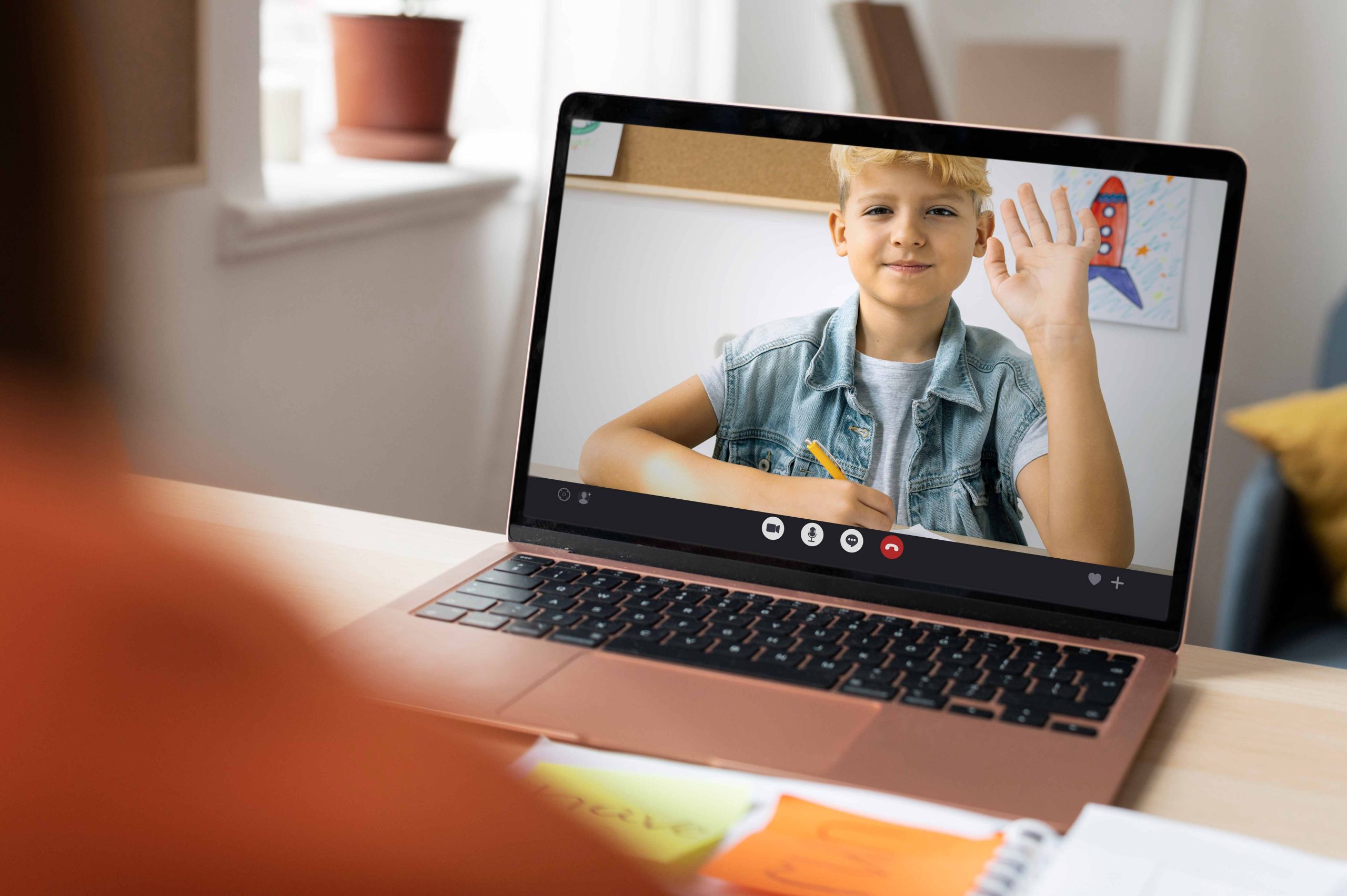

Category: Preschool Zoom Backgrounds

  • Online Meetings

    Online Meetings

    Zoom Backgrounds for Preschoolers: Adding Fun and Creativity to Online Meetings

    Zoom Backgrounds for Preschoolers: Adding Fun and Creativity to Online Meetings

    The COVID-19 pandemic has brought about a significant change in the way we live and work. With social distancing becoming the norm, virtual communication has become more important than ever before. Zoom, the popular video conferencing platform, has emerged as a lifeline for many businesses, families, and schools.

    While virtual meetings have become a necessity, they can often become tedious and monotonous, especially for preschoolers. However, Zoom has introduced a feature that can add an element of fun and creativity to online meetings – Zoom backgrounds.

    In this article, we will explore what Zoom backgrounds are and how they can benefit preschoolers. We will also discuss some ideas for Zoom backgrounds that can keep preschoolers engaged and entertained during online meetings.

    What are Zoom backgrounds?

    Zoom backgrounds are virtual backgrounds that can be added to a Zoom call to replace the user’s physical background. Users can select from a range of preset backgrounds or upload their own images or videos.

    Zoom backgrounds can be used for various purposes – to hide a messy background, to add a professional touch to a business meeting, or to simply add some fun to an online gathering.

    Zoom backgrounds for preschoolers

    Preschoolers have been particularly affected by the pandemic. With schools closed and social interactions limited, online meetings have become the only way for many preschoolers to interact with their teachers and classmates.

    However, online meetings can be challenging for preschoolers, who may struggle to stay focused and engaged. Zoom backgrounds can help to make online meetings more interactive and fun for preschoolers.

    Benefits of using Zoom backgrounds for preschoolers

    1. Engagement and Interaction

      Preschoolers have short attention spans and can easily become distracted. Zoom backgrounds can help to keep preschoolers engaged and focused during online meetings. By using visually appealing backgrounds, preschoolers are more likely to pay attention and participate actively in online discussions.

    2. Creativity and Imagination

      Preschoolers have vivid imaginations and are naturally creative. Zoom backgrounds can encourage preschoolers to use their creativity and imagination to make the most of their online meetings. By using fun and colorful backgrounds, preschoolers can express themselves and explore their creativity.

    3. Socialization and Communication

      Preschoolers thrive on social interaction and communication. Zoom backgrounds can help to create a more interactive and social online environment for preschoolers. By using backgrounds that are related to the theme of the meeting, preschoolers can learn to communicate and collaborate with their peers in a virtual setting.

    Ideas for Zoom backgrounds for preschoolers

    • Nature backgrounds: Preschoolers love the outdoors and nature. Adding a nature-themed background to an online meeting can help to create a calming and peaceful environment for preschoolers. Examples of nature-themed backgrounds include forests, beaches, and mountains.
    • Cartoon backgrounds: Cartoon characters are always popular with preschoolers. Adding a cartoon-themed background to an online meeting can make it more appealing and engaging for preschoolers. Examples of cartoon-themed backgrounds include popular kids’ cartoons like Peppa Pig and Paw Patrol.
    • Classroom backgrounds: Preschoolers are used to learning in a classroom environment. Adding a classroom-themed background to an online meeting can help to create a sense of familiarity and routine for preschoolers. Examples of classroom-themed backgrounds include chalkboards, desks, and bookshelves.
    • Fantasy backgrounds: Adding a fantasy-themed background to an online meeting can help to spark preschoolers’ imagination and creativity. Examples of fantasy-themed backgrounds include unicorns, dragons, and castles.
    • Animal backgrounds: Preschoolers love animals, and animal-themed backgrounds can help to create a fun and engaging online environment. Examples of animal-themed backgrounds include zoo animals, farm animals, and pets.
    • Holiday backgrounds: Preschoolers love to celebrate holidays, and holiday-themed backgrounds can help to create a festive and joyful atmosphere during online meetings. Examples of holiday-themed backgrounds include Christmas trees, Easter bunnies, and Halloween pumpkins.

    Conclusion

    Zoom backgrounds are a simple yet effective way to make online meetings more engaging and entertaining for preschoolers. By using visually appealing backgrounds that are related to the theme of the meeting, preschoolers are more likely to stay focused and participate actively in online discussions.

    Incorporating Zoom backgrounds into online meetings can also help to spark preschoolers’ imagination and creativity, encourage socialization and communication, and create a sense of familiarity and routine in a virtual setting.

    As the pandemic continues to reshape our lives, Zoom backgrounds offer a way to make the most of online meetings and keep preschoolers engaged and entertained in a challenging time.

    However, it is important to remember that Zoom backgrounds are not a substitute for real-life social interaction and play. While virtual meetings can provide some level of interaction, preschoolers still need physical play, socialization, and face-to-face communication to develop properly.

    In conclusion, Zoom backgrounds offer a fun and engaging way to add some creativity and excitement to online meetings for preschoolers. By using visually appealing and thematically appropriate backgrounds, parents and educators can keep preschoolers engaged and focused during online meetings.

  • Fun and Engaging

    Entertaining Your Preschooler on Zoom: Tips and Tricks

    Entertaining Your Preschooler on Zoom: Tips and Tricks

    As the world adjusts to the new normal brought by the pandemic, one thing that has become increasingly popular is virtual meetings and events. While it may be difficult to imagine entertaining a preschooler on Zoom, it’s actually not as challenging as it seems. With the right tools, resources, and strategies, you can keep your little ones engaged and entertained during your virtual meetings or gatherings. In this article, we’ll explore some tips and tricks for entertaining your preschooler on Zoom.

    Setting Up for Success

    Before you even begin your virtual event, it’s important to make sure you have all the necessary tools and resources. Here are some things you’ll need:

    • A reliable internet connection: This is crucial for ensuring a smooth Zoom experience.
    • A computer or tablet: Zoom is best experienced on a larger screen, so a computer or tablet is ideal.
    • A Zoom account: Make sure you have a Zoom account and that you’ve downloaded the Zoom app.
    • A comfortable space: Make sure your child has a comfortable space to sit and participate in the Zoom meeting.
    • A selection of age-appropriate activities: Depending on the length of your Zoom meeting, you’ll want to have a selection of activities to keep your preschooler engaged.

    Storytime

    One of the easiest ways to keep your preschooler engaged during a Zoom meeting is by hosting a virtual storytime. Choose a few of your child’s favorite books and read them aloud while sharing the screen. You can also ask your child to choose a book and take turns reading pages. This is a great way to keep your child engaged and to promote literacy skills.

    Sing-alongs and Dance Parties

    Preschoolers love to sing and dance, so why not incorporate some music into your Zoom meeting? You can choose some of your child’s favorite songs and encourage them to sing and dance along. You can also teach them some new songs and dances. This is a great way to get your child moving and to promote physical activity.

    Scavenger Hunts and Show-and-Tell

    Another fun activity for preschoolers is a virtual scavenger hunt or show-and-tell. Before the Zoom meeting, create a list of items that your child can find around the house. Then, during the meeting, give your child a few minutes to find the items and show them to the group. You can also encourage your child to bring in a favorite toy or item from home to show the group.

    Crafts and Activities

    If you have a longer Zoom meeting, you may want to have a selection of crafts and activities to keep your child engaged. There are many age-appropriate crafts that can be done virtually, such as coloring pages, playdough creations, and even science experiments. Make sure to have all the necessary materials on hand before the meeting.

    Virtual Playdates

    If your child is missing their friends, consider hosting a virtual playdate on Zoom. Coordinate with other parents to schedule a time for your preschoolers to meet virtually. You can set up some of the activities mentioned above or come up with your own ideas. This is a great way for your child to stay connected with their friends and to socialize during these challenging times.

    Virtual Field Trips

    While it may not be possible to go on physical field trips right now, you can still take your preschooler on virtual field trips. There are many museums, zoos, and other attractions that offer virtual tours and experiences. You can use the screen-sharing feature on Zoom to take your child on a virtual field trip and explore the world from the comfort of your own home.

    Games and Puzzles

    Preschoolers love games and puzzles, and there are many that can be played virtually. You can play classic games like “I Spy” or “Simon Says,” or try out some online games that are age-appropriate. You can also do virtual puzzles together, either by using an online platform or by sharing a physical puzzle with the group.

    Mindful and Relaxation Activities

    In addition to active and engaging activities, it’s important to also incorporate some mindful and relaxation activities into your Zoom meetings. You can do some simple yoga poses, guided meditation, or deep breathing exercises. These activities can help your child to relax and unwind during a busy day.

    Engaging with Others

    One of the benefits of virtual meetings is the opportunity to connect with people from all over the world. Encourage your preschooler to say hello and introduce themselves to others in the Zoom meeting. You can also play games like “Two Truths and a Lie” to help your child get to know the other participants.

    Safety Considerations

    When hosting Zoom meetings for preschoolers, it’s important to consider safety measures to protect your child and the other participants. Set up a secure and private meeting room, and ensure that only invited guests are allowed to join. You can also use the waiting room feature to screen participants before allowing them into the meeting. Make sure to discuss online safety with your child and remind them to never share personal information with strangers.

    Planning and Preparation

    To make the most out of your Zoom meetings with your preschooler, it’s important to plan and prepare ahead of time. Decide on the activities you want to do and gather any necessary materials or props. Test out the technology and ensure that your internet connection is stable. Set up a quiet and well-lit space for the meeting and make sure that your child is dressed appropriately and ready to participate.

    Flexibility and Adaptability

    Virtual meetings can be unpredictable, so it’s important to remain flexible and adaptable during your Zoom sessions. Your preschooler may lose interest in an activity or may become distracted by something in their environment. Have a backup plan or a list of alternative activities that you can switch to if needed. Be patient and understanding if your child needs to take a break or leave the meeting early.

    Encouragement and Positive Reinforcement

    Preschoolers thrive on encouragement and positive reinforcement, so make sure to praise your child for their participation and engagement during the Zoom meeting. Use positive language and avoid criticism or negative comments. You can also use stickers or virtual rewards to incentivize good behaviour and participation.

    Building Community

    Virtual meetings can also be a great opportunity to build community and foster relationships with other parents and preschoolers. Consider setting up a virtual playdate or social event to connect with other families and build a support network. Encourage your child to participate in group activities and games to develop their social skills and form connections with other children.

    Resources for Virtual Activities

    There are many online resources available for virtual activities that are perfect for preschoolers. Some great options include virtual storytimes from libraries and bookstores, virtual museum tours, and online classes or workshops for kids. Many websites also offer free printables and activity sheets that can be completed during a Zoom meeting.

    Involving Parents and Caregivers

    Parents and caregivers can play an important role in helping their preschoolers engage and participate during Zoom meetings. Encourage parents to join in on the fun and participate in the activities alongside their child. Provide tips and guidance on how to support their child’s learning and engagement during the meeting.

    Music and Movement

    Music and movement activities can be a great way to keep preschoolers engaged and active during a Zoom meeting. You can sing songs, do simple dance routines, or even play virtual musical instruments together. Music and movement activities can help develop gross motor skills, improve coordination, and promote creativity and self-expression.

    Outdoor Exploration

    Just because you’re meeting virtually doesn’t mean you can’t explore the great outdoors! Plan a virtual nature walk or scavenger hunt where your child can search for items in their backyard or neighbourhood. You can also do some simple gardening activities or even have a virtual picnic outside.

    Holiday and Seasonal Themes

    Incorporating holiday and seasonal themes into your Zoom meetings can make them even more fun and engaging for preschoolers. Consider doing a Halloween costume party, a Christmas sing-along, or a Valentine’s Day craft session. You can also plan activities that relate to the current season, such as a springtime flower craft or a summer water play activity.

    Screen Time Guidelines

    It’s important to consider screen time guidelines when hosting Zoom meetings for preschoolers. The American Academy of Pediatrics recommends that children ages 2 to 5 years old have no more than one hour of screen time per day. While virtual meetings can be a great way to connect with others and engage in fun activities, it’s important to balance this with other forms of play and learning.

    Balancing Structure and Flexibility

    When planning your Zoom meetings for preschoolers, it’s important to strike a balance between structure and flexibility. Too much structure can be overwhelming for young children, while too much flexibility can lead to disengagement and distraction. Plan a general outline for your meeting, but also be open to following your child’s lead and adapting activities as needed.

    Managing Behaviour and Attention

    Managing behaviour and attention during a Zoom meeting can be challenging, but there are strategies you can use to help keep your child engaged and focused. Use visual aids and props to help keep your child’s attention, such as puppets or stuffed animals. Take frequent breaks and switch between activities to prevent boredom or restlessness. Provide clear and concise instructions and expectations for behaviour, and use positive reinforcement and praise for good behaviour.

    Encouraging Creativity and Imagination

    Preschoolers have a natural curiosity and imagination, and Zoom meetings can be a great way to encourage these qualities. Incorporate activities that promote creativity and imagination, such as storytelling or puppet shows. Provide open-ended prompts and questions to encourage your child to think creatively and independently.

    Connecting with Family and Friends

    Virtual meetings can be a great way to connect with family and friends who live far away or who may not be able to visit in person. Encourage your child to participate in virtual family gatherings or to connect with friends from preschool. These interactions can help promote social skills, communication, and emotional well-being.

    Incorporating Learning Objectives

    Zoom meetings can also be a great opportunity to incorporate learning objectives for preschoolers. Plan activities that align with their developmental stage and promote skills such as language development, social-emotional learning, and problem-solving. Consider using props and visual aids to reinforce concepts and provide opportunities for hands-on learning.

    Engaging Multiple Senses

    Engaging multiple senses can help keep preschoolers focused and engaged during a Zoom meeting. Plan activities that involve different senses, such as sensory play with materials like playdough or water beads, or cooking activities that involve smelling and tasting ingredients. Using props and visual aids can also help engage multiple senses and reinforce concepts.

    Adapting Activities for Different Abilities

    Preschoolers have varying abilities and may require different levels of support during a Zoom meeting. Plan activities that can be adapted for different abilities, such as using simpler or more complex prompts or providing different levels of support for fine motor skills. Encourage participation and provide positive reinforcement for effort and engagement.

    Creating a Positive Environment

    Creating a positive and welcoming environment can help preschoolers feel comfortable and engaged during a Zoom meeting. Use positive language and reinforcement, and provide opportunities for social interaction and communication. Encourage active listening and participation and celebrate successes and achievements.

    Seeking Feedback and Making Adjustments

    Seeking feedback from preschoolers and their parents or caregivers can help you make adjustments and improvements to your Zoom meetings. Ask for feedback on activities, engagement levels, and overall experience, and use this feedback to make adjustments and plan future meetings. Be open to trying new activities and adapting to the needs and interests of your preschooler.

    Incorporating Movement and Physical Activity

    Preschoolers have a lot of energy and incorporating movement and physical activity can help keep them engaged and focused during a Zoom meeting. Plan activities that involve movement, such as dancing or yoga, or incorporate physical activities like scavenger hunts or obstacle courses. Providing opportunities for movement can also help promote physical development and coordination.

    Creating a Theme or Focus

    Creating a theme or focus for your Zoom meeting can help provide structure and engagement for preschoolers. Choose a theme that aligns with your child’s interests or promotes a specific skill, such as a science theme or a theme focused on emotional regulation. Incorporate activities and discussions that align with the theme to promote engagement and learning.

    Planning for Transitions and Breaks

    Transitions and breaks are important during a Zoom meeting to prevent boredom and restlessness. Plan for regular breaks and transitions between activities, and use calming techniques such as deep breathing or mindfulness exercises. Provide clear instructions and expectations for transitions and breaks to help prevent confusion or disruption.

    Creating Opportunities for Independence and Decision-Making

    Preschoolers are developing their independence and decision-making skills, and providing opportunities for these skills during a Zoom meeting can help promote their development. Allow your child to make choices and decisions during the meeting, such as choosing between two activities or choosing the next topic for discussion. Encourage independent thinking and decision-making, and provide positive reinforcement for effort and engagement.

  • Motivated to Participate

    Motivated to Participate

    Engaging Preschoolers in Zoom Classes: Tips for a Fun and Motivated Learning Experience

    In the midst of the pandemic, preschoolers have embraced remote learning as a necessary mode of education. With schools closed, Zoom classes have emerged as the primary educational platform. However, engaging preschoolers in Zoom classes and motivating them to participate can pose challenges. It’s crucial to create a fun and interactive learning environment that encourages preschoolers to learn, play, and socialize. In this article, we’ll explore practical tips on how to make Zoom classes enjoyable for preschoolers, keeping them engaged and motivated.

    Create a Fun Learning Environment

    Preschoolers naturally possess curiosity and a love for exploration. Creating a fun and stimulating learning environment can be achieved in several ways:
    • Utilize colorful and engaging backgrounds. Fun backgrounds can capture preschoolers’ attention and make learning more interesting. Zoom offers an array of virtual backgrounds that can help create an enjoyable learning environment.
    • Integrate interactive games. Games are excellent tools to make learning engaging. You can align games with your lesson plan or utilize online games that encourage collaborative play among preschoolers.
    • Encourage hands-on activities. Preschoolers thrive on tactile experiences. Incorporating hands-on activities in lesson plans can sustain preschoolers’ engagement and motivation. For instance, integrating art projects, science experiments, and cooking activities can foster active learning.

    Keep Lessons Short and Interactive

    Preschoolers possess short attention spans, necessitating short and interactive lessons to maintain engagement. Here are some strategies to make lessons more interactive:
    • Utilize props. Props enhance interactivity and engagement. Incorporating puppets, toys, and flashcards can facilitate understanding of new concepts.
    • Incorporate music and movement. Music and movement activities make learning enjoyable and interactive. Utilize music to introduce new concepts or design movement activities aligned with lesson plans.
    • Employ interactive tools. Zoom provides various interactive features to engage preschoolers. Utilize the whiteboard feature for drawing and writing or the annotation feature to highlight key points.

    Foster Social Interaction

    Social interaction plays a crucial role in preschoolers’ development. Zoom classes provide an opportunity for preschoolers to socialize with their peers. Here’s how to foster social interaction in Zoom classes:
    • Create breakout rooms. Breakout rooms can facilitate small group activities where preschoolers collaborate on projects, games, or activities, fostering relationships and social interaction.
    • Encourage show and tell. Show and tell sessions encourage preschoolers to share their interests and experiences with classmates, promoting communication and socialization.
    • Organize virtual playdates. Virtual playdates allow preschoolers to socialize outside class time. Schedule virtual playdates with classmates or create groups for parents to arrange playdates.

    Provide Positive Reinforcement

    Positive reinforcement motivates preschoolers to participate in Zoom classes. Here are some strategies to provide positive reinforcement:
    • Offer praise and encouragement. Praise preschoolers for their efforts and provide positive feedback. Encourage them to share ideas and thoughts, boosting their confidence.
    • Implement a reward system. Create a system where preschoolers earn stickers, stars, or points for participation and engagement in class activities.
    • Provide constructive feedback. Feedback helps preschoolers understand their strengths and areas for improvement. Offer constructive feedback to facilitate learning and growth.

    Involve Parents

    Parents play a vital role in supporting preschoolers’ learning during remote education. Here’s how to involve parents in Zoom classes:
    • Share lesson plans. Share lesson plans with parents to help them understand what preschoolers are learning and how they can support learning at home.
    • Communicate regularly. Maintain regular communication with parents through email, chat, or video conferencing. Provide updates on preschoolers’ progress and address any concerns.
    • Provide resources. Share educational websites, recommend books or games, and provide materials for hands-on activities to support learning at home.

    Use Creative Visual Aids

    Visual aids enhance engagement and comprehension in Zoom classes. Here are some tips for using creative visual aids:
    • Utilize colorful and vibrant visuals. Bright charts, posters, and images can illustrate concepts and make learning enjoyable for preschoolers.
    • Use props and manipulatives. Incorporate props like blocks or toys to teach counting, or use flashcards to introduce letters and words.
    • Incorporate videos and animations. Use educational videos or animations to simplify complex ideas and make learning more accessible and enjoyable for preschoolers.

    Incorporate Movement and Exercise

    Movement and exercise promote engagement and focus in Zoom classes. Here are some strategies to incorporate movement and exercise:
    • Utilize dance and music. Use music and movement activities to teach concepts such as numbers, letters, and shapes.
    • Introduce yoga and stretching exercises. Simple yoga poses and stretching exercises help preschoolers relax, focus, and improve concentration.
    • Incorporate outdoor activities. If feasible, include outdoor activities like scavenger hunts to keep preschoolers active and engaged.

    Make Zoom Classes Interactive

    Interactive Zoom classes enhance preschoolers’ engagement and interest in learning. Here are some strategies to make Zoom classes interactive:
    • Utilize breakout rooms. Breakout rooms facilitate small group discussions and activities, encouraging collaboration and participation.
    • Incorporate polls and quizzes. Use polls and quizzes to assess understanding and gather feedback from preschoolers.
    • Organize virtual field trips. Take preschoolers on virtual tours to museums or zoos to enhance learning experiences.

    Encourage Social Interaction

    Social interaction fosters connections and communication skills in preschoolers. Here’s how to encourage social interaction in Zoom classes:
    • Initiate icebreakers. Icebreaker activities help preschoolers get to know each other and feel comfortable in the virtual classroom. Activities like “show and tell” or “two truths and a lie” can encourage preschoolers to share about themselves.
    • Facilitate group activities. Group activities promote collaboration and teamwork. Assign preschoolers to groups and give them tasks or activities to complete together.
    • Arrange virtual playdates. Virtual playdates allow preschoolers to interact outside of class time. Schedule virtual playdates with classmates or create groups for parents to arrange playdates.

    Use Storytelling and Role-Playing

    Storytelling and role-playing activities spark creativity and imagination in preschoolers. Here are some strategies to incorporate storytelling and role-playing:
    • Read picture books. Picture books are effective tools to teach concepts such as letters, numbers, and shapes. Engage preschoolers by reading aloud and asking questions about the story.
    • Utilize puppets and props. Puppets and props bring stories to life and make learning interactive. Use puppets and props to act out stories and involve preschoolers in the narrative.
    • Encourage role-playing. Role-playing promotes social skills and empathy. Guide preschoolers in role-playing scenarios where they can practice sharing, taking turns, or resolving conflicts.

    Provide Hands-On Activities

    Hands-on activities facilitate experiential learning and exploration. Here are some strategies to provide hands-on activities:
    • Engage in arts and crafts. Arts and crafts activities teach concepts such as colors, shapes, and patterns. Provide materials like paper, glue, and scissors, and encourage preschoolers to create.
    • Explore sensory activities. Sensory activities stimulate exploration and discovery. Use materials like playdough or sensory bins to engage preschoolers’ senses and enhance learning.
    • Conduct experiments and investigations. Experiments encourage critical thinking and problem-solving skills. Provide simple experiments for preschoolers to conduct at home and share their findings in class.

    Incorporate Movement and Music

    Movement and music enhance physical activity and focus in Zoom classes. Here are some strategies to incorporate movement and music:
    • Teach songs and rhymes. Songs and rhymes are effective tools for teaching concepts like the alphabet, numbers, and colors. Teach preschoolers songs and rhymes related to the lesson topic.
    • Include movement activities. Movement activities like dancing or yoga promote physical activity and concentration. Incorporate movement breaks into lessons to keep preschoolers engaged.
    • Integrate games. Games that involve movement, such as matching and sorting games, keep preschoolers active and learning. Create games related to the lesson content.

    Use Technology and Multimedia

    Technology and multimedia enrich learning experiences in Zoom classes. Here are some strategies to utilize technology and multimedia:
    • Utilize educational videos. Educational videos reinforce concepts and engage visual and auditory learners. Show preschoolers videos related to the lesson content and facilitate discussions.
    • Recommend educational apps. Educational apps offer interactive learning experiences. Recommend apps to parents that reinforce lesson topics and provide additional practice.
    • Take virtual field trips. Virtual field trips expose preschoolers to new places and experiences. Take preschoolers on virtual tours of museums, zoos, or landmarks relevant to the lesson.

    Create a Positive Learning Environment

    A positive learning environment fosters confidence and enthusiasm in Zoom classes. Here are some strategies to create a positive learning environment:
    • Provide positive reinforcement. Acknowledge preschoolers’ efforts and accomplishments with praise and encouragement. Positive reinforcement boosts confidence and motivation.
    • Establish clear expectations. Set clear expectations for behavior and participation in the virtual classroom. Communicate expectations regularly and reinforce positive behaviors.
    • Use positive language. Use supportive and encouraging language when interacting with preschoolers. Positive language creates a welcoming and inclusive atmosphere.
       
  • Maximize Virtual Learning

    Maximize Virtual Learning

    How Preschoolers can Maximize Virtual Learning

    The COVID-19 pandemic has significantly disrupted the education system globally, and preschoolers have not been left behind. As schools shifted to virtual learning to minimize the spread of the virus, parents and teachers alike had to adapt quickly to the new norm. However, virtual learning has presented several challenges, including the loss of the social and interactive learning environment that traditional schools offer. Despite this, preschoolers can still maximize virtual learning with the right strategies. In this article, we explore how preschoolers can get the best out of virtual learning.


    Understanding the Challenges of Virtual Learning for Preschoolers

    Virtual learning comes with its fair share of challenges for preschoolers. These include:

    1. Attention Span: Preschoolers have a shorter attention span and may get bored quickly, especially when they are not engaged in a fun and interactive learning environment.

    2. Screen Time: Preschoolers spending extended periods in front of screens can lead to physical, mental, and emotional fatigue.

    3. Technical Challenges: Preschoolers may struggle with using technology, making it difficult to access virtual learning platforms.

    4. Parental Involvement: Parental involvement is crucial for virtual learning success. However, parents may not have the skills, time, or resources to support their preschoolers fully.


    Tips for Maximizing Virtual Learning for Preschoolers

    Despite the challenges, preschoolers can maximize virtual learning with the following tips:

    1. Create a Fun Learning Environment: Preschoolers learn better when they are engaged in fun and interactive activities. Teachers can use gamification and storytelling to make virtual learning fun and exciting for preschoolers.

    2. Manage Screen Time: Preschoolers should have limited screen time to avoid physical, mental, and emotional fatigue. Teachers can break up virtual lessons into shorter sessions and encourage preschoolers to take regular breaks.

    3. Provide Technical Support: Teachers can provide technical support to preschoolers and their parents to ensure they can access virtual learning platforms without any challenges.

    4. Encourage Parental Involvement: Teachers can encourage parental involvement by providing training and resources to support preschoolers’ virtual learning. Parents can create a conducive learning environment at home and monitor their preschoolers’ progress.


    Best Virtual Learning Platforms for Preschoolers

    Several virtual learning platforms are suitable for preschoolers. These include:

    1. ABCmouse: ABCmouse is an online platform that offers a range of educational activities, including games, videos, books, and songs, for preschoolers aged 2-8.

    2. Epic: Epic is an online reading platform that offers access to over 40,000 books, audiobooks, and videos for preschoolers aged 12 and under.

    3. Khan Academy Kids: Khan Academy Kids is an online platform that offers a range of interactive activities, including math, reading, and social-emotional learning, for preschoolers aged 2-7.

    4. Scholastic Learn at Home: Scholastic Learn at Home is an online platform that offers a range of educational activities, including reading, writing, and math, for preschoolers aged 3-5.


    The Benefits of Virtual Learning for Preschoolers

    Virtual learning comes with several benefits for preschoolers. These include:

    1. Flexibility: Virtual learning allows preschoolers to learn at their own pace and schedule, giving them more flexibility and autonomy.

    2. Access to Quality Education: Virtual learning provides access to quality education, regardless of geographical location, socioeconomic status, or physical ability.

    3. Improved Technology Skills: Preschoolers can improve their technology skills by using virtual learning platforms, which are increasingly becoming part of everyday life.

    4. Parental Involvement: Virtual learning allows for more parental involvement in their preschoolers’ education. Parents can monitor their child’s progress, attend virtual parent-teacher meetings, and provide support as needed.

    5. Personalized Learning: Virtual learning platforms can personalize learning to meet individual preschoolers’ needs, interests, and abilities. This approach can lead to better learning outcomes and increased engagement.

    6. Enhanced Safety: Virtual learning eliminates the risk of exposure to contagious illnesses such as COVID-19, making it a safer option for preschoolers, teachers, and parents.


    Overcoming Virtual Learning Challenges for Preschoolers

    To overcome the challenges associated with virtual learning for preschoolers, teachers and parents can:

    1. Provide Clear Instructions: Teachers should provide clear instructions on how to access virtual learning platforms and navigate through them.

    2. Use Visual Aids: Preschoolers learn better through visual aids such as videos, images, and graphics. Teachers can use visual aids to make virtual lessons more engaging and interactive.

    3. Use Interactive Tools: Virtual learning platforms offer several interactive tools such as quizzes, games, and puzzles. These tools can help preschoolers stay engaged and motivated.

    4. Communicate Regularly: Teachers should communicate regularly with parents to provide updates on preschoolers’ progress and identify any challenges they may be facing.

    5. Create a Conducive Learning Environment: Parents can create a conducive learning environment at home by setting up a designated learning space and minimizing distractions.


    The Future of Virtual Learning for Preschoolers

    Virtual learning is here to stay, and its future looks bright for preschoolers. The COVID-19 pandemic has accelerated the adoption of virtual learning, and many preschools are incorporating it into their curriculum even after the pandemic. Virtual learning offers several benefits such as flexibility.


    Best Practices for Virtual Learning for Preschoolers

    To maximize the benefits of virtual learning for preschoolers, educators and parents should follow some best practices, including:

    1. Creating Interactive Lessons: Interactive lessons are crucial in keeping preschoolers engaged during virtual learning. Teachers can use various multimedia tools such as videos, pictures, and animations to make virtual learning more interactive and fun.

    2. Structuring the Learning Environment: Structuring the learning environment can help preschoolers maintain focus and concentration during virtual learning. Teachers and parents can ensure the learning environment is quiet, well-lit, and free from distractions.

    3. Promoting Regular Breaks: Preschoolers’ attention span is limited, and they may not be able to concentrate for long periods. Educators and parents should schedule regular breaks to allow preschoolers to rest, refresh, and recharge before returning to virtual learning.

    4. Encouraging Active Participation: Active participation is crucial in keeping preschoolers engaged during virtual learning. Teachers should use various techniques such as asking questions, providing opportunities for discussions, and conducting quizzes to encourage active participation.

    5. Providing Real-time Feedback: Real-time feedback is crucial in monitoring preschoolers’ progress and identifying areas that need improvement. Educators should provide timely feedback to preschoolers to help them stay on track and identify areas where they need additional support.

    6. Ensuring Technical Support: Technical challenges can be frustrating for preschoolers during virtual learning. Educators and parents should ensure preschoolers have the necessary technical support to access virtual learning platforms.


    Virtual Learning Resources for Preschoolers

    There are numerous virtual learning resources available to help preschoolers maximize their virtual learning experience. These resources include:

    1. Educational Apps: Educational apps such as ABCmouse, Khan Academy Kids, and Endless Alphabet provide fun and interactive learning experiences for preschoolers. These apps cover various subjects, including math, science, language, and social studies.

    2. Online Storybooks: Online storybooks provide an excellent opportunity for preschoolers to develop their reading skills while also having fun. Sites such as Storyline Online and Oxford Owl offer a vast collection of free online storybooks that preschoolers can enjoy.

    3. Virtual Field Trips: Virtual field trips provide preschoolers with an opportunity to explore the world from the comfort of their homes. Sites such as Google Arts & Culture and Virtual Field Trips offer virtual tours of museums, art galleries, zoos, and other cultural sites.

    4. Interactive Games: Interactive games such as PBS Kids, National Geographic Kids, and Sesame Street provide fun and educational experiences for preschoolers. These games cover various subjects, including science, math, and literacy.

    5. Virtual Learning Platforms: Virtual learning platforms such as Zoom, Microsoft Teams, and Google Classroom provide a platform for preschoolers to participate in virtual classes, complete assignments, and interact with their teachers and classmates.


    A Guide for Parents to Maximize Virtual Learning for Preschoolers

    Virtual learning can be challenging for preschoolers, and parents play a crucial role in ensuring their preschooler gets the most out of virtual learning. Here is a guide for parents to help maximize virtual learning for their preschoolers:

    1. Create a Learning Schedule: Preschoolers thrive on routine, and creating a learning schedule can help them maintain focus and concentration during virtual learning. Parents can work with their preschoolers’ teachers to create a schedule that includes regular breaks and time for play.

    2. Create a Learning Environment: Creating a dedicated learning environment can help preschoolers maintain focus and concentration during virtual learning. Parents can create a quiet, well-lit, and distraction-free learning environment that their preschoolers can associate with learning.

    3. Encourage Active Participation: Active participation is crucial in keeping preschoolers engaged during virtual learning. Parents can encourage their preschoolers to participate actively in virtual classes, ask questions, and engage in discussions.

    4. Limit Screen Time: Preschoolers’ screen time should be limited to ensure they do not spend too much time in front of a screen. Parents can set limits on their preschoolers’ screen time and encourage them to engage in other activities such as playing, reading, and exercising.

    5. Monitor Progress: Monitoring preschoolers’ progress is crucial in ensuring they stay on track during virtual learning. Parents can communicate regularly with their preschoolers’ teachers to monitor their progress, identify areas that need improvement, and provide additional support where necessary.

    6. Take Advantage of Virtual Learning Resources: There are numerous virtual learning resources available to help preschoolers maximize their virtual learning experience. Parents can take advantage of these resources, such as educational apps, online storybooks, virtual field trips, and interactive games, to supplement their preschoolers’ learning.


    The Role of Educators in Maximizing Virtual Learning for Preschoolers

    Educators play a critical role in maximizing virtual learning for preschoolers. Here are some ways educators can help maximize virtual learning for preschoolers:

    1. Create Engaging Lessons: Creating engaging lessons that are interactive and age-appropriate can help keep preschoolers engaged during virtual learning. Teachers can use a variety of teaching methods, such as storytelling, games, and hands-on activities, to make lessons more engaging for preschoolers.

    2. Provide Regular Feedback: Regular feedback is crucial in helping preschoolers understand their progress and areas that need improvement. Educators can provide regular feedback to preschoolers and their parents to keep them informed about their progress.

    3. Encourage Active Participation: Active participation is crucial in keeping preschoolers engaged during virtual learning. Educators can encourage preschoolers to participate actively in virtual classes, ask questions, and engage in discussions.

    4. Use Visual Aids: Using visual aids such as pictures, videos, and diagrams can help preschoolers understand complex concepts better. Educators can use visual aids to supplement their teaching and make lessons more engaging and interactive for preschoolers.

    5. Collaborate with Parents: Collaboration between educators and parents is crucial in ensuring preschoolers get the most out of virtual learning. Educators can collaborate with parents to create a learning schedule, monitor progress, and provide additional support where necessary.

    6. Take Advantage of Virtual Learning Resources: There are numerous virtual learning resources available to help educators maximize virtual learning for preschoolers. Educators can take advantage of these resources, such as educational apps, online storybooks, virtual field trips, and interactive games, to supplement their teaching and enhance preschoolers’ learning experience.

    By creating engaging lessons, providing regular feedback, encouraging active participation, using visual aids, collaborating with parents, and taking advantage of virtual learning resources, educators can help preschoolers get the most out of virtual learning and develop essential skills.


    Best Virtual Learning Practices for Preschoolers

    Virtual learning can be challenging for preschoolers, but there are several best practices that educators and parents can follow to help maximize virtual learning for preschoolers. Here are some best practices for virtual learning for preschoolers:

    1. Keep Lessons Short: Preschoolers have short attention spans, so it is essential to keep virtual lessons short and focused. Ideally, virtual lessons should be no more than 20-30 minutes long.

    2. Make Lessons Interactive: Preschoolers learn best when lessons are interactive and engaging. Educators and parents can use a variety of teaching methods, such as storytelling, games, and hands-on activities, to make lessons more interactive.

    3. Use Visual Aids: Visual aids such as pictures, videos, and diagrams can help preschoolers understand complex concepts better. Educators and parents can use visual aids to supplement their teaching and make lessons more engaging and interactive for preschoolers.

    4. Provide Regular Breaks: Preschoolers need regular breaks to stay focused and avoid burnout during virtual learning. Educators and parents can schedule regular breaks during virtual lessons and encourage preschoolers to engage in physical activities such as stretching and exercising.

    5. Encourage Active Participation: Active participation is crucial in keeping preschoolers engaged during virtual learning. Educators and parents can encourage preschoolers to participate actively in virtual classes, ask questions, and engage in discussions.

    6. Use Positive Reinforcement: Positive reinforcement such as praise and rewards can help motivate preschoolers and reinforce positive behavior during virtual learning. Educators and parents can use positive reinforcement to encourage preschoolers to participate actively in virtual classes and complete assignments.

    7. Collaborate with Parents: Collaboration between educators and parents is crucial in ensuring preschoolers get the most out of virtual learning. Educators can collaborate with parents to create a learning schedule, monitor progress, and provide additional support where necessary.


    Conclusion

    In conclusion, while virtual learning presents its challenges for preschoolers, it also offers numerous opportunities for them to thrive academically and socially. By implementing the tips, best practices, and utilizing available resources, educators and parents can help preschoolers maximize their virtual learning experience. With dedication, flexibility, and collaboration, virtual learning can become a rewarding and effective educational tool for preschoolers now and in the future.

  • Online Courses

    Online Courses

    The Pros and Cons of Online Courses for Preschoolers

    In today’s digital age, many parents are turning to online courses as an alternative to traditional preschool education. With the rise of technology, it has become easier for preschoolers to learn and acquire new skills through online platforms. However, as with any form of education, there are pros and cons to online courses for preschoolers. In this article, we will explore these pros and cons in detail.

    The Benefits of Online Courses for Preschoolers

    Online courses have become increasingly popular among parents for preschoolers, and for good reason. Here are some of the benefits of online courses for preschoolers:

    1. Flexibility: Online courses offer flexibility in terms of scheduling and pace. Preschoolers can learn at their own pace and at a time that suits them and their parents.

    2. Variety: Online courses offer a wide variety of educational content, from STEM subjects to art and music. Preschoolers can explore a range of subjects and interests that may not be available in a traditional preschool setting.

    3. Access to Expertise: Online courses provide access to expert instructors and educational materials that may not be available in traditional preschool settings. This can help preschoolers develop a more advanced skill set and a deeper understanding of the subject matter.

    4. Interactive Learning: Online courses for preschoolers are often designed to be interactive and engaging, which can help to keep their attention and motivate them to learn.

    5. Individualized Attention: Online courses can provide individualized attention and support to preschoolers who may require additional help or challenge. This can help ensure that each preschooler receives the support and resources they need to succeed.

    The Drawbacks of Online Courses for Preschoolers

    While online courses for preschoolers offer many benefits, there are also drawbacks to consider. Here are some of the drawbacks of online courses for preschoolers:

    1. Limited Social Interaction: Online courses may limit the social interaction that preschoolers would receive in a traditional preschool setting. Social interaction is essential for the social and emotional development of preschoolers and should not be underestimated.

    2. Screen Time: Online courses require preschoolers to spend time in front of screens, which can be detrimental to their physical and mental health if not monitored properly.

    3. Lack of Hands-On Activities: Online courses may not offer the same level of hands-on activities and learning experiences as traditional preschool settings. This can limit the ability of preschoolers to develop their fine and gross motor skills.

    4. Dependence on Technology: Online courses can create a dependence on technology for learning, which can have negative implications for preschoolers in the long term.

    5. Parental Involvement: Online courses may require a higher level of parental involvement, which can be challenging for working parents or those who are not familiar with the subject matter.

  • Virtual Communication Platforms

    Virtual Communication Platforms

    Preschoolers’ Virtual Communication Platforms: Navigating Benefits and Risks

    In our increasingly digital world, virtual communication platforms have become integral, even for preschoolers. These platforms offer a wealth of opportunities, but they also bring forth notable risks. This article aims to explore both the advantages and challenges of virtual communication for preschool-aged children, providing guidance for parents and caregivers on how to navigate this terrain effectively.

    Exploring the Benefits:

    • Learning Opportunities: Access to educational content helps enhance cognitive and language skills.
    • Socialization: Interacting with peers fosters vital social skills like communication and cooperation.
    • Creativity: Platforms serve as creative outlets through activities such as drawing and storytelling.

    Understanding the Risks:

    • Cyberbullying: Exposure to harmful behavior like name-calling and exclusion can impact mental health and self-esteem.
    • Inappropriate Content: Preschoolers may inadvertently encounter unsuitable material like violence or pornography, affecting emotional development.
    • Overuse: Excessive screen time can lead to physical health issues like eye strain and disrupted sleep patterns.

    Navigating Virtual Communication:

    To ensure safe and constructive use of virtual platforms, parents and caregivers should:

    1. Monitor Usage: Keep track of time spent and content accessed to prevent overuse and exposure to harmful material.
    2. Establish Rules: Set clear guidelines for usage, including appropriate content and timing.
    3. Educate Preschoolers: Teach children about online safety and the potential risks associated with virtual communication.
    4. Choose Age-Appropriate Platforms: Select platforms tailored to preschoolers’ needs and interests.
    5. Stay Engaged: Maintain open communication and involvement in children’s online activities to build trust.

    Best Practices for Preschoolers’ Virtual Communication:

    1. Set Clear Boundaries: Establish rules regarding usage limits and content access.
    2. Monitor Usage: Keep track of children’s online activities and intervene when necessary.
    3. Choose Age-Appropriate Platforms: Select platforms with content suitable for preschoolers’ development.
    4. Use Parental Controls: Utilize available tools to restrict access to inappropriate content.
    5. Encourage Face-to-Face Interaction: Balance virtual communication with real-world socialization.

    By following these guidelines, parents and caregivers can ensure that preschoolers enjoy the benefits of virtual communication while minimizing associated risks.